Table of Contents
/* Imported from Wayback Machine
 Original URL : https://www.retrobrewcomputers.org/doku.php?id=builderpages:muellerk:start
 Snapshot date: 2026-01-15
 Generator    : wayback-archiver
*/
Multicomp Z80 with b/w Graphics
 ]] All c-/asm-source and binary files are included. For assembling/recompiling you need the M80 Assembler and the MESCC C-Compiler system from Github. Instructions how to do both steps is described in 'xgraph.txt' included in the 'Multcomp-Z80_xgraph-*.tar.gz' package. I haven't checked whether the HiTech C-Compiler can do the job too.
Builder's Notes/Comments
For programming the RSX I used the package from Miguel I. Garcia Lopez as a example/guideline for building my own RSX and C-function files. You can find his original software on Github The Multicomp VHDL-Code incl. the CP/M software I've got from here in the forum. The PCB and the Mini-FPGA-Board can be found here in the forum wiki. One comment regarding the Mini-FPGA-Board: The Multicomp version using the Cyclone-2 chip can't be used with the graphic, because of not having sufficient internal block-RAM (mainly) and LE's. The green EP4CE&-Board is still offered on ebay.
The package has reached it's planned basic functionality now. The Reference-Manual, describing the C-functions and the RSX is done.
Builder's Notes/A pre-configured ZPM3 for the SD-Card
The zip-file “zpm3-system18_20210625.img.zip” includes 18 8MB HD-images but in a different selection as mentioned in the above Builder's Notes section. S1 holds a CP/M3 with Z3plus as my rescue system, S2 is my main system with ZPM3. I have done some configuration that reflect my needs, yours may differ. See the alias.cmd in the ROOT: folder. Use MAP SYS: to get a overview. To explore the ALIAS.CMD type LESS ROOT:ALIAS.CMD. Use Ctrl-R and Ctrl-C to page through the file. ESC exits LESS. Images S2..S8 are empty and free for data, S9..S18 are holding the software collection. Use LESS ROOT:VOLINDEX.CAT to see what is included. On S9 the Z3COM-Utilities are collected in two lbr's ZUTILA2O.LBR and ZUTILP2Z.LBR. This is different to the original images18. Use LESS ROOT:Z3COM.CAT to page through file that shows the contents of both lbr's. Both cat files are a copy of the originals on S9 ! If adding new software keep them in sync. I edit the files on S9 and keep a copy in ROOT:. After editing do: COPY ROOT:=B1:*.CAT with S9 mounted to drive B: The programs VPLUS.COM and VMINUS.COM are renamed versions of VEDIT233 configured for my linux key-bindigs ! Delete VMINUS.COM and reconfigure VPLUS.COM to your needs (name, key bindings and terminal). You will find VEDIT233 is on S16 (LESS ROOT:VOLINDEX.CAT). Use it's installer to change the configuration.
Single key commands like a…z invoke the z-system help system ! To leave the help page type Ctrl-C. I have collected all programs that belong together in lbr's. Most is stored in DEV:. Use LDIR DEV:<lbr-name> to list the contents, LGET DEV:<lbr-name> *.* to load the lbr contents into the WORK: directory (after booting the active drive is WORK: on the RAM-disk).
One important hint: DON'T use these programs: SETCLK, SHOWRTC,SETRTC or the corresponding rsx IWIRE1.RSX if you do not have installed the I2c hardware-rtc mod. described in the next paragraph. They access the (until then) non existent I2c-controller, the system will hang in a infinite loop waiting for the controller to become ready. The commands RUNSTART & RUNEND use the (until then) non existent internal 1ms time and will not give any results, same for the internal hardware random number.
Read the System Manual for more that is in the new i2c-rtc-upgrade archive below.
Adding a I2c Hardware-RTC
I've prepared a zip-archive that holds a installation manual for the RTC and 2 new FPGA programming files - one for the older BLUE FPGA-board and one for the GREEN one along with a System-Manual for the Multicomp. If the RTC is installed all 12c-bus related transient commands can be used including the ones for the uptimer and the runtime measurements. Have a look into the system manual for more information.
Filename
Filesize
Last modified
89.2 MiB
2021/07/10 11:41
New PCB for BLUE/GREEN EP4CE6 FPGA-Board
Here I present (after some time ![]] ) a reworked version of the Multicomp-PCB for the GREEN FPGA-Board. The footprint for the Blue-Board ist replaced and fits now to the one of the Green board. Along with that some additional upgrades where incorporated:
* +5V DC supply for the PS/2-Keyboard\\
* a voltage supervisor IC (MAX705) for a controlled reset whileg\\
powering up/down behaviour\\
* a RESET-button right-hand side of Serial-B\\
* two +12V-DC input jacks. This enables the use of one 12V wallmount\\
power-supply for the Multicomp and my 8“ VGA-Monitor\\
* a i2c-RTC to have a real clock on board\\
* a ic2-connector to connect extra hardware via i2c-bus
For the addition of the RTC and the i2c-connector I've dropped Serial-C to free up some space. This will reduce the usability for MPM somewhat, but who really needs 3 serial lines ? {{[[lib:images:smileys:icon_smile.gif|:-)](/lib/exe/detail.php?id=builderpages%3Amuellerk%3Astart&media=lib:images:smileys:icon_wink.gif "]] ) a reworked version of the Multicomp-PCB for the GREEN FPGA-Board. The footprint for the Blue-Board ist replaced and fits now to the one of the Green board. Along with that some additional upgrades where incorporated:
* +5V DC supply for the PS/2-Keyboard\\
* a voltage supervisor IC (MAX705) for a controlled reset whileg\\
powering up/down behaviour\\
* a RESET-button right-hand side of Serial-B\\
* two +12V-DC input jacks. This enables the use of one 12V wallmount\\
power-supply for the Multicomp and my 8“ VGA-Monitor\\
* a i2c-RTC to have a real clock on board\\
* a ic2-connector to connect extra hardware via i2c-bus
For the addition of the RTC and the i2c-connector I've dropped Serial-C to free up some space. This will reduce the usability for MPM somewhat, but who really needs 3 serial lines ? {{[[lib:images:smileys:icon_smile.gif|:-)") ]] For a brief impression of the Blue/Green-Multicomp, view the photos in the Gallery below.
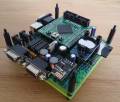
]] For a brief impression of the Blue/Green-Multicomp, view the photos in the Gallery below.
Filename
Filesize
Last modified
multicomp-cycloneiv-apr2021_pcb_blue.zip
2.3 MiB
2022/04/23 10:44
multicomp-cycloneiv-apr2021_pcb_green.zip
2.4 MiB
2022/04/23 08:41
Photo Gallery
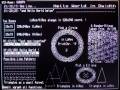
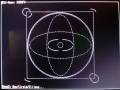
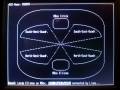
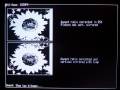


File List
Filename
Filesize
Last modified
multicomp-z80_xgraph_20190411.tar.gz
568.7 KiB
2019/04/12 05:34
Filename
Filesize
Last modified
multicomp-z80_vhdl_3xtty_1xvga_20190215.tar.gz
625.4 KiB
2019/02/16 11:34
Filename
Filesize
Last modified
multicomp-cb80_xgraph_20181220.tar.gz
6.1 KiB
2019/03/14 16:14
Filename
Filesize
Last modified
zpm3-system18_20210625.img.zip
38.3 MiB
2021/06/26 08:21